
DreamHost vs Wix is one of those comparisons that sounds simple… until you actually try to choose.
Because on the surface, both “let you build a website.”
But in real life? They solve very different problems — and that’s where most beginners get stuck.
I remember being in that exact spot years ago, staring at a dozen tabs, half of them screaming “best platform EVER”, and somehow feeling more confused than when I started.
So let’s make this easy.
This isn’t a technical showdown.
It’s not a feature checklist.
And it’s definitely not one of those comparison tables that assume you already know what “server-side caching” means (you don’t need to).
Instead, we’re going to look at:
- how DreamHost and Wix actually feel to use
- what kind of website each one is meant for
- and which one makes sense for your goals, not for some imaginary “perfect user”
Whether you’re planning a business blog, building a business site, or testing an online income idea, this guide will help you pick the platform that won’t box you in — or overwhelm you — later.
Let’s start!
Mental Model: Hosting vs Website Builder (This Is the Real Difference)
Before we compare pricing, speed, or anything else, we need to clear up one very important thing:
👉 DreamHost and Wix are not the same type of platform.
Trying to compare them without this context is like choosing between:
- renting a fully furnished apartment, or
- buying a house you can renovate however you want
Both give you a place to live.
Very different experiences tho.
DreamHost = Hosting (with WordPress)
DreamHost is a web hosting provider.
That means:
- you host your website on their servers
- you usually use WordPress (which is free)
- you own your site files, structure, and setup
This gives you full control — but also means you’re more involved in how things are set up.
Think of DreamHost as:
“I want a website that can grow, change, and make money in different ways over time — even if I have to learn a few things along the way.”
DreamHost is especially appealing if you:
→ plan to blog long-term
→ want flexibility with ads, affiliates, or products
→ don’t want to be locked into one ecosystem forever
Wix = Website Builder
Wix is a fully hosted website builder.
That means:
- hosting, design, and tools are bundled together
- you build your site visually with drag-and-drop
- Wix handles updates, performance, and security
This makes Wix feel much easier at the beginning.
Think of Wix as:
“I want a good-looking site online fast, without touching anything technical.”
Wix is a great fit if:
→ you want to launch quickly
→ you care more about design than customization
→ your site doesn’t need complex functionality (yet)
Why this mental model matters (a lot)
Most “DreamHost vs Wix” guides skip this part — and that’s why people end up choosing the wrong platform for their needs.
Once you understand:
- ownership vs convenience
- flexibility vs simplicity
…everything else (pricing, speed, SEO, monetization) suddenly makes way more sense.
Now that we’ve got that clear, let’s look at what it’s actually like to use DreamHost and Wix day to day — without the tech jargon.
Platform Experience: How DreamHost and Wix Actually Feel to Use
At this point, you already know that DreamHost and Wix are built on two different philosophies.
Now let’s talk about what that means in real life, once you actually sit down to build and manage a site.
🖱 Wix: Instant, Visual, and Very Beginner-Friendly

Wix is designed to feel intuitive from the first click.
You choose a template, open the editor, and start moving things around visually — text, images, buttons, sections — all with drag-and-drop.
There’s no setup phase, no plugins to install, and no technical decisions to make upfront.
Wix even offers an AI website builder (Wix ADI) that can generate a basic site for you in minutes if you want to skip the design step entirely.
This experience works especially well for:
- local businesses
- portfolios and personal sites
- creatives who care a lot about layout and visuals
- people who want a site online today, not next week
The trade-off?
Once you choose a template, you’re locked into it. You can tweak and customize, but you can’t fully switch templates later — and migrating a Wix site to another platform isn’t really an option.
Wix is convenient, polished, and fast — but it’s also a closed system.
🧱 DreamHost: More Setup, More Control, More Room to Grow

DreamHost doesn’t try to compete with Wix on instant visual editing — and that’s intentional.
Instead, DreamHost focuses on giving you a solid foundation through WordPress, the most flexible content management system in the world.
Setting up a site takes a few extra steps:
- 1-click WordPress installation
- choosing a theme
- adding plugins based on what you want to do
But once you’re in, the experience changes completely.
You can:
- switch themes anytime
- use visual builders like Divi or Elementor
- add thousands of plugins for SEO, speed, monetization, and design
- fully control backups, performance, and site structure
In other words, DreamHost gives you options.
It’s a better fit if you’re thinking:
“I want a site that can evolve — not something I’ll outgrow in a year.”
Blogging Experience: Casual vs Long-Term
This difference becomes very clear once blogging enters the picture.
DreamHost + WordPress: Built for Serious Blogging
WordPress (via DreamHost) powers everything from personal blogs to massive media brands — and that’s not accidental.
It gives you:
- full SEO control
- advanced monetization options (ads, affiliates, memberships)
- editorial workflows and scheduling
- unlimited customization as your content grows
If blogging is part of a long-term strategy — especially if money is involved — this setup simply scales better.
Wix: Fine for Updates, Not for Growth
Wix’s blogging tools are easy and pleasant to use, especially for:
- personal blogs
- updates and announcements
- small side projects
But they’re limited once you start caring about deeper SEO control, design flexibility, or advanced monetization. That’s where many bloggers eventually feel boxed in.
Pricing Reality: DreamHost vs Wix (What You’ll Actually Pay Over Time)
Let’s get one thing out of the way first:
Both DreamHost and Wix look affordable at first glance.
The difference shows up later — when your site grows, renews, or needs more features.
This is where pricing stops being about numbers and starts being about how platforms make money.
💸 DreamHost Pricing: Pay Less, Add What You Need
DreamHost’s web hosting starts around $2.95/month (with annual billing — so you can start with less than $36/year), and that already includes:
- free domain (first year)
- free SSL
- unlimited traffic
- generous storage
- email accounts on higher-tier plans
If you want a more hands-off setup, DreamPress (managed WordPress hosting) starts at $16.95/month, adding:
- better performance
- automatic backups
- built-in caching
- staging environments
The key thing here?
DreamHost’s pricing scales gradually.
You’re not forced into higher tiers just because you want one extra feature — you choose what to add, when to add it.
Also worth mentioning (because it matters): renewal prices stay reasonable. No “surprise, your bill doubled” moment.
💳 Wix Pricing: Simple Plans, But Add-Ons Add Up
Wix plans start at $17/month (Light plan) and go all the way up to $159/month (Business Elite).
What you get:
- hosting
- SSL
- templates
- basic tools bundled into one dashboard
What to watch out for:
- storage limits
- paid apps for extra functionality
- higher plans required for eCommerce, multilingual sites, or advanced features
Wix is predictable — but not flexible.
As soon as you want more, you’re usually nudged into a higher plan.
For one simple site, that’s fine.
For multiple sites or long-term growth, costs can quietly snowball.
✅ Pricing Verdict
- DreamHost wins for long-term value and scalability
- Wix wins for simplicity and “I don’t want to think about this” billing
If you like control over your costs, DreamHost feels fairer.
If you like fixed plans and convenience, Wix feels easier.
Speed Reality: DreamHost vs Wix Performance & Reliability
Speed isn’t a “nice-to-have” anymore.
It’s UX, SEO, conversions — all wrapped into one.
Both platforms take performance seriously, but they approach it very differently.
🚀 DreamHost Performance: Optimizable and Scalable

DreamHost is known for:
- 99.9% uptime
- SSD storage
- WordPress-optimized servers
Many plans include CDN support (like Bunny), and with DreamPress, you also get:
- built-in caching
- on-demand backups
- 1-click staging environments
In real-world tests, DreamHost often delivers sub-second load times — especially when paired with good WordPress optimization plugins (many of which are free).
The important part?
You’re in control.
If something slows down, you can fix it.
⚙️ Wix Performance: Fast by Default, Limited Control

Wix hosts everything for you.
You don’t touch servers, caching, or technical settings — and for many users, that’s a relief.
You benefit from:
- global CDN delivery
- automatic updates
- managed uptime and security
The downside shows up as sites grow.
Heavy animations, multiple apps, and complex layouts can slow things down — and there’s only so much you can tweak, because optimization is largely locked behind the platform.
✅ Speed Verdict
- DreamHost is better if you want long-term speed control and scalability
- Wix performs well out of the box, but gives you fewer levers to pull
If you like tuning and optimizing, DreamHost wins.
If you just want it to “work” without touching anything, Wix does the job.
SEO, Blogging & Growth Tools: DreamHost vs Wix (Who Scales Better?)
Here’s the honest truth most comparisons dodge:
👉 Both platforms can rank.
👉 Only one is built for long-term content growth.
DreamHost + WordPress: SEO Without a Ceiling
With DreamHost, SEO and blogging power come from WordPress — and that’s exactly why it scales.
You can:
- Use advanced SEO plugins
- Control schema, canonicals, redirects, and internal linking
- Optimize content for clusters, intent, and UX
- Monetize with ads, affiliates, memberships, and content upgrades
DreamHost handles the hosting performance side (speed, uptime, security), while WordPress gives you full editorial and technical control.
This setup is ideal if:
- blogging is part of your business model
- SEO traffic matters long-term
- monetization isn’t an afterthought
Wix: SEO Made Easy (But With Limits)
Wix has improved a lot in SEO — credit where it’s due.
You get:
- editable meta titles & descriptions
- automatic XML sitemaps
- built-in redirects
- Google Search Console integration
- a beginner-friendly SEO checklist
For small sites, portfolios, or local businesses, this is more than enough.
Where Wix still falls short is in advanced control:
- limited structured data customization
- less flexibility with technical SEO
- harder to scale content-heavy sites
✅ SEO & Blogging Verdict
- Wix is great if SEO feels intimidating and you want guidance.
- DreamHost + WordPress is the better choice if SEO is part of your growth strategy.
If you plan to publish consistently, build topic clusters, and monetize content — DreamHost wins.
eCommerce: DreamHost vs Wix (Simplicity vs Power)
Both platforms support online stores. The difference is how far you want to go.
🛒 Wix eCommerce: Plug-and-Play Selling

Wix Stores lets you:
- sell physical & digital products
- manage inventory easily
- accept payments via Stripe, PayPal, or Wix Payments
- handle everything from one dashboard
It’s perfect for:
- small shops
- side projects
- creators who don’t want tech decisions
The trade-off?
Advanced features (multi-currency, integrations, scaling) often require higher-tier plans.
🛍️ DreamHost + WooCommerce: Built to Scale
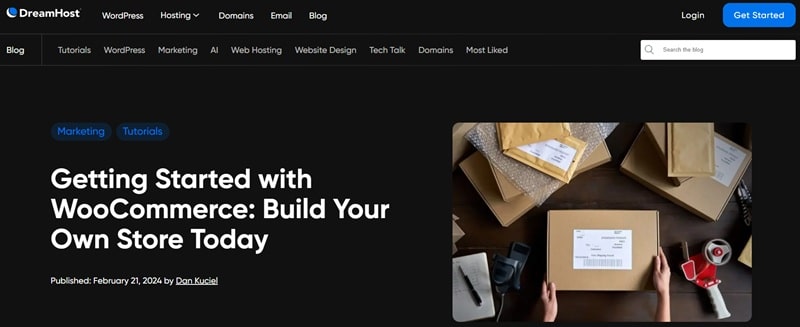
With DreamHost, you can run WooCommerce — the most flexible eCommerce system on WordPress.
This gives you:
- full checkout & design control
- any payment gateway
- subscriptions, memberships, digital downloads
- integrations with CRMs, shipping tools, and marketing platforms
- global scalability (including dropshipping)
DreamHost even offers WooCommerce-optimized hosting for speed and security.
✅ eCommerce Verdict
- Wix is ideal for simple, low-maintenance stores.
- DreamHost is better if your store is part of a larger business strategy.
Customer Support & Reliability: Who Has Your Back?
Even great platforms break sometimes. Support matters.
DreamHost Support (Real Talk)
DreamHost offers:
- 24/7 live chat and ticket support
- strong WordPress expertise
- a clean, non-overwhelming dashboard
- no aggressive upselling
And yes — personal note here — after 5+ years as a DreamHost client, support has consistently been fast, knowledgeable, and effective when things actually matter.
Wix Support
Wix provides:
- 24/7 callback service
- live chat
- a huge help center with videos and tutorials
It’s great for setup and basic questions.
More advanced issues can take longer or get surface-level answers.
✅ Support Verdict
Both are solid.
- Wix is friendlier during setup.
- DreamHost shines for long-term reliability and technical depth.
Final Verdict: DreamHost vs Wix — Which Should You Choose?
This isn’t about better.
It’s about fit.
Choose Wix if you want:
- a fast launch
- zero technical setup
- a beautiful site with minimal effort
- an all-in-one, fully managed experience
→ Wix: Perfect for portfolios, local businesses, and simple stores.
Choose DreamHost if you want:
- full ownership and control
- scalable SEO and blogging power
- flexible monetization options
- lower long-term costs
- a site that grows with your business
Personally?
I recommend DreamHost for anyone serious about blogging, SEO, or building an online business.
It gives you a professional foundation you won’t outgrow — and you can start small, then scale without rebuilding everything later.
👉 Bonus: free domain, SSL, and a 30-day money-back guarantee make it low-risk to test. 👀
FAQ
Wix is easier for absolute beginners because everything is built in and managed for you. DreamHost has a small learning curve, but gives you far more control and flexibility once you’re set up.
Yes. DreamHost + WordPress is one of the best setups for blogging, SEO, and long-term traffic growth because you control plugins, site structure, internal linking, and monetization.
Not fully. Wix doesn’t allow exporting complete websites. You’ll need to rebuild your site on WordPress and manually move your content, but you’ll gain full ownership and SEO flexibility afterward.
Yes. DreamHost supports WooCommerce, which lets you build fully customizable online stores, sell physical or digital products, and scale far beyond basic eCommerce tools.
If you want long-term growth, SEO, and ownership of your site, yes. DreamHost is more affordable over time and doesn’t lock you into a closed platform like Wix.
The learning curve. You’ll need to learn basic WordPress concepts. The upside is complete control, better scalability, and more monetization options.
Limited ownership and flexibility. You can’t fully migrate your site, and advanced SEO or custom features are restricted compared to WordPress.
Choose Wix if you want fast setup and minimal maintenance.
Choose DreamHost if you want control, scalability, and a site that can grow into a real business.
→ READ NEXT: How to Create a Blogging Workflow That Ranks Like Crazy


