
Building an online income stream in 2026 as a side hustle has become *a lot* simpler, thankfully!
And we all can thank e-commerce platforms that welcome beginners with no experience and small budgets for that!
You can launch a professional online store in just a few hours using simple tools and *super cheap* (really!) hosting solutions — without coding or a big upfront investment.
This guide walks you through the easiest e-commerce platforms for beginners starting a side hustle, ranging from platforms that give you complete control over your business to ones that you set up & forget techy maintenance.
So let’s get into the actual list!

9 Best Easy Side Hustle e-Commerce Platforms for Beginners
You need an e-commerce platform for your online side hustle that’s:
- easy to use (so it’s easy to skip common e-commerce mistakes)
- affordable
- sustainable in the long run
- scalable
- semi-automated (saves *hours,* believe me)
Let’s check the top 9 e-commerce platforms!
1. Squarespace

Squarespace is an all-in-one website builder known for its beautiful, designer templates and intuitive drag-and-drop interface.
It’s great for creatives and small business owners who want a visually stunning online store with minimal setup.
Squarespace supports physical and digital products and includes built-in marketing tools, so you’re fully equipped to build your e-commerce side hustle.
Is it free to use Squarespace?
Squarespace does not offer a free plan, but you can try a 14-day free trial.
Paid plans start at $23/month (Business plan), which includes ecommerce capabilities.
The pricing covers hosting, SSL, templates, and customer support, making it easy to manage everything in one place.
Pros
- Elegant, professionally designed templates
- User-friendly drag-and-drop editor
- Built-in marketing and SEO tools
- Good for stores with small to medium catalogs
- Includes hosting, SSL, and support in one price
Cons
- Less flexible e-commerce features than Shopify or WooCommerce
- Limited customization compared to open-source platforms
- Transaction fees on lower-tier plans
2. WooCommerce (WordPress Plugin)
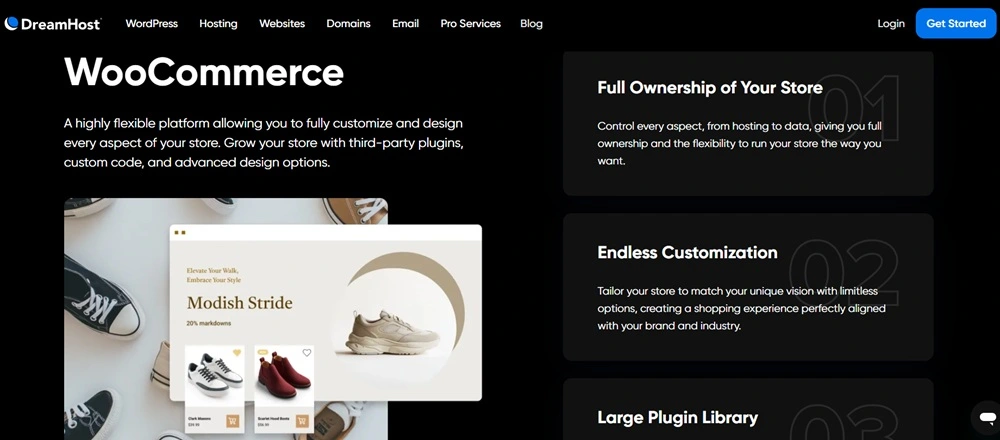
WooCommerce is a powerful, open-source WordPress plugin that transforms any WordPress website into a fully customizable online store.
It’s perfect for entrepreneurs and beginners who want full control over their e-commerce side hustle site without recurring platform fees.
Also, WordPress can become extremely secure for an online store by simply installing a few free plugins that take less than 10 minutes.
WooCommerce supports selling physical products, digital goods, subscriptions, and more, with thousands of extensions to add features as your business grows.
Is it free to use WooCommerce?
Yes, WooCommerce itself is free to install, but operating a WooCommerce store requires some budgeting.
You will need web hosting and a domain name, which are budget-friendly with providers like DreamHost or SiteGround.
Pros
- Highly customizable and scalable
- Full control over your store and customer data
- Huge library of free and paid extensions
- No platform fees beyond hosting and payment processing
- Ideal for long-term, sustainable ecommerce businesses
Cons
- Some useful extensions may require additional cost
- Requires hosting setup and occasional maintenance
- Steeper learning curve compared to hosted platforms
3. Shopify

Shopify is a leading e-commerce platform that enables entrepreneurs, freelancers, and content creators to establish fully functional online stores.
While it’s commonly used for selling physical products, it’s also excellent for monetizing digital skills — be it digital downloads, online services, coaching packages, or custom work.
Is it free to join Shopify?
Shopify offers a 3-day free trial, after which pricing starts at $29/month (Basic plan).
There are no setup fees, but Shopify charges transaction fees (unless you use Shopify Payments, which avoids extra fees).
Additional costs may include paid themes, apps, or third-party integrations, depending on the level of customization you desire for your store.
Pros
- Easy to use, even for non-tech users
- Ideal for selling both digital and physical products
- Tons of themes and app integrations
- Built-in tools for marketing, SEO, payments, and shipping
- Great support and scalability for business growth
Cons
- Some features require higher-tier plans or plugins
- Monthly fees add up, especially with paid apps
- Less customization flexibility than open-source platforms
4. Etsy

Etsy is a popular marketplace for handmade, vintage, and creative products.
It is easy to set up, supports automations for print-on-demand services like Printify, and offers access to a large, engaged customer base interested in unique, custom items.
Is selling on Etsy free?
Starting on Etsy requires minimal upfront cost, but fees should be factored into pricing.
Etsy charges a $0.20 listing fee per item and takes a 6.5% transaction fee on the sale price (including shipping).
Pros
- Access to millions of buyers looking for unique products
- Easy integration with POD platforms like Printful and Printify
- Built-in marketplace traffic reduces marketing needs
- Low listing and transaction fees for beginners
Cons
- High competition in popular product categories
- Limited control over branding and customer data
- Fees can add up, especially with POD costs included
5. Ecwid

Ecwid is a versatile, beginner-friendly e-commerce platform for a side hustle that lets you add an online store to any existing website or social media page.
Ecwid supports physical and digital products and offers integrations with WordPress, Wix, Squarespace, and more.
It’s perfect for beginners who want to start selling quickly without building a new site or simply using their social media platforms.
Is it free to use Ecwid?
Ecwid offers a free plan that supports up to 10 products, making it ideal for small stores or side hustles.
For larger inventories and advanced features, paid plans start at $2.95/month with Ecwid hosting.
Pros
- Easy to integrate with any website or social media
- Free plan available for small stores
- Supports multiple sales channels, including Facebook and Instagram
- Mobile-friendly and fast setup
- No coding required
Cons
- Some integrations require technical knowledge
- Advanced features require paid plans
- Limited design flexibility on free and lower-tier plans
6. Gumroad

Gumroad is a simple, beginner-friendly e-commerce platform primarily designed for creators and entrepreneurs selling digital products such as eBooks, courses, music, and artwork.
It also supports physical product sales but shines with digital goods — thanks to its straightforward setup and easy payment processing, making it great for a wide range of side hustles.
Is it free to use Gumroad?
Gumroad has a free plan with basic features and charges transaction fees of 8.5% plus 30¢ per sale.
Paid plans start at $10/month, reducing fees and unlocking advanced features like memberships and analytics.
There are no upfront costs or monthly hosting fees, making it ideal for low-budget content creators building online income streams.
Pros
- Extremely easy to use for digital products
- No monthly fees on the free plan
- Supports memberships and subscriptions
- Simple checkout and payment processing
- Great for artists, writers, and educators
Cons
- Less suited for large physical product catalogs
- Higher transaction fees on the free plan
- Limited customization and branding options
7. Wix

Wix is a beginner-friendly website builder with a simple drag-and-drop interface that makes setting up an online store fast and painless.
It offers hundreds of customizable templates and built-in e-commerce features, including payment processing and inventory management, making it ideal for small to medium-sized stores and perfect for a side hustle e-Commerce.
Is it free to use Wix?
Wix offers a free plan with Wix branding and limited features.
To run a professional online store, you’ll need to upgrade to a paid plan starting at $27/month (Business Basic), which includes hosting, SSL, and ecommerce tools.
Pros
- Intuitive drag-and-drop editor
- Large template library with e-commerce designs
- Built-in SEO and marketing tools
- Integrated payment options
- Good for small businesses and side hustles
Cons
- Free plan has Wix ads and branding
- Less scalable for large stores
- Templates can’t be changed after site launch
8. Amazon Marketplace
Amazon Marketplace allows sellers to list products alongside Amazon’s inventory, reaching one of the largest online audiences worldwide.
It’s a powerful combination of e-commerce and marketplace platform.
It supports both new and used goods, including physical products, digital downloads, and print-on-demand through select integrations.
Is selling on Amazon Marketplace free?
Amazon offers two selling plans:
- Individual (no monthly fee, $0.99 per item sold)
- Professional ($39.99/month plus referral fees).
Additional referral fees range from 6% to 45%, depending on product category.
High fees and strict policies require careful pricing and inventory management.
Pros
- Massive customer base and global reach
- Trusted platform with fast shipping options
- Powerful fulfillment services via FBA (Fulfillment by Amazon)
- Suitable for large-scale and small sellers alike
Cons
- Limited direct access to customer contact information
- High fees can cut into profit margins
- Competitive marketplace with many sellers
9. BigCommerce

BigCommerce is a robust hosted e-commerce platform designed for growing businesses looking for scalability and advanced e-commerce features.
It supports a wide range of product types, multi-channel selling, and extensive integrations, making it a good choice for merchants planning to expand quickly.
Is it free to use BigCommerce?
BigCommerce does not have a free plan but offers a 15-day free trial.
Paid plans start at $39/month, which includes hosting, security, and ecommerce tools.
Pricing is higher than some competitors’ but justified by its advanced features and scalability.
Pros
- Highly scalable and feature-rich
- Supports multiple sales channels (Amazon, eBay, Facebook)
- Strong SEO and marketing tools
- No transaction fees on any plan
- Good for medium to large businesses
Cons
- Annual sales thresholds on plans may force upgrades
- Higher monthly cost compared to basic platforms
- Steeper learning curve for beginners
FAQ: Beginner-Friendly e-Commerce Platforms for Side Hustles
Yes, you can start with free plans from Ecwid or Big Cartel, or use WooCommerce (which is free) combined with affordable hosting.
Basic stores can launch for under $50 using free tools and low-cost hosting. More professional setups with custom domains and emails typically range from $100–$300.
With templates and easy setup tools, you can launch a basic store within hours. Customizations and product uploads might take a few days, but beginners can start selling quickly on platforms like Shopify or WooCommerce.
No coding skills are needed. Shopify, Ecwid, and WooCommerce provide drag-and-drop interfaces and user-friendly dashboards so beginners can manage their stores easily without coding.
Consider your budget, technical skills, and goals. WooCommerce with DreamHost is great for control and scalability. For simplicity, Shopify or Ecwid works well. Also consider product types, fees, and whether you want a marketplace or self-hosted site.
✨ Final Thoughts
Starting a side hustle in 2026 doesn’t require a business degree or a complicated tech stack.
What it really requires is choosing the right platform for your current season.
If you want full control and long-term brand building, there’s an option for that.
If you want something simple where you can upload products and move on with your life, there’s an option for that, too.
The biggest mistake beginners make isn’t picking the “wrong” platform. It’s waiting.
All of the tools on this list are beginner-friendly, affordable, and powerful enough to grow with you. You can always migrate, upgrade, or optimize later. What matters right now is momentum.
Start small. Keep it simple. Learn as you go.
Your first version doesn’t need to be perfect — it just needs to exist.


